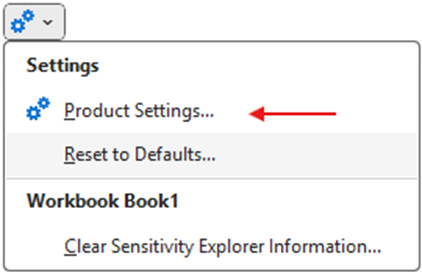
Sensitivity Explorer’s General Settings dialog allows you to control default options for the product as a whole:
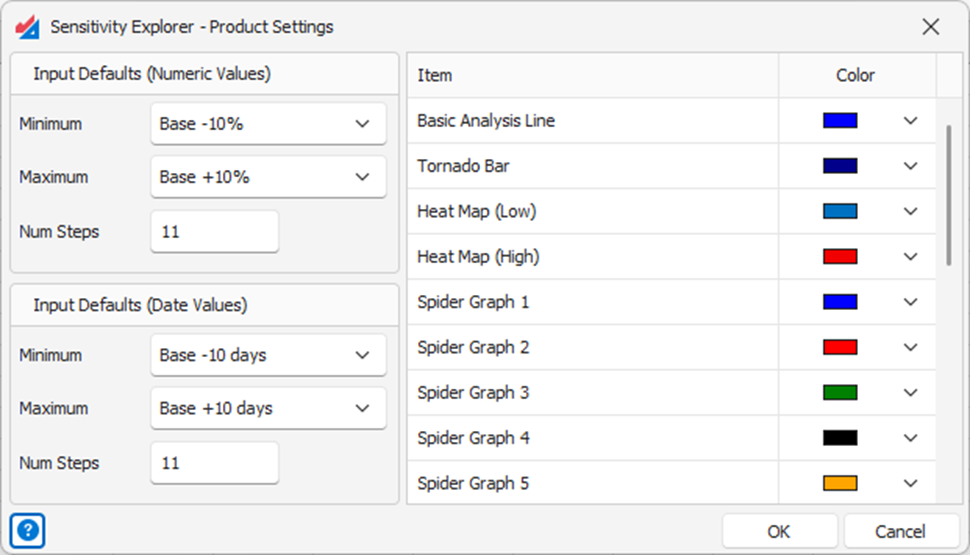
Input Defaults – The input defaults (Minimum, Maximum, and Num Steps) allow you to define the default parameters used for newly created inputs. There are two groups of controls, one for numeric inputs and one for date-based inputs.
Colors – The default colors used for new graphs can be changed by clicking the drop-down control associated with any of the items.
Please note: Changes to these settings will never affect things you have already created. See the article Working with Inputs and Outputs to understand better how Input defaults are used.
Was this article helpful?
That’s Great!
Thank you for your feedback
Sorry! We couldn't be helpful
Thank you for your feedback
Feedback sent
We appreciate your effort and will try to fix the article