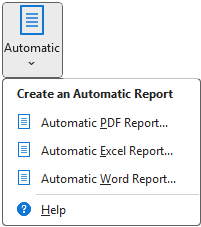
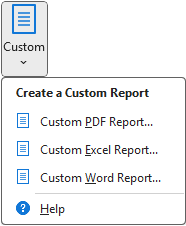
You have the choice between Automatic and Custom reports:
- Automatic Reports – Automatic Reports use a simple interface for configuring a report. You select a set of inputs and outputs (similar to how you select them for setting up an analysis) and then a collection of analyses you want to perform on them. See the article Automatic Reports for more details.
- Custom Reports – Custom Reports are more complicated, but allow you to specify, in detail, which analyses to run, as well as to customize each graph or table in the report. See the article Custom Reports for more details.
For both Automatic and Custom report, you have the choice of three report formats. Each of these formats has its own specific advantages:
- PDF Reports – PDF reports are a great general choice for printing, putting on a website, sending in a email, etc.
- Excel Reports – Excel reports can easily be customized and have the advantage of being in the same application as your model itself.
- Word Reports – Word reports are also easily customized, and can be integrated into a larger written document.
Was this article helpful?
That’s Great!
Thank you for your feedback
Sorry! We couldn't be helpful
Thank you for your feedback
Feedback sent
We appreciate your effort and will try to fix the article