The Input Steps Popup Editor, accessible by clicking the drop-down control in any window where Inputs appear, allows you to specify the number of steps that will be taken across an input’s min-max range during an analysis.
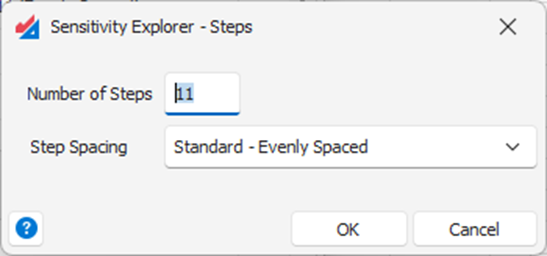
Number of Steps – the number of steps that will be taken during an analysis.
Step Spacing – in general the analysis steps will be Evenly Spaced across the min-max range of the input. However, sometimes it is more appropriate to use Rounded spacing to always force the input value to be an integer if your model requires that.
Note: Depending on the settings you choose, Sensitivity Explorer will sometimes perform one extra calculation step to ensure the base-value itself is always included in the calculations.
See the article Inputs and Outputs Overview for more general information about inputs and outputs.
Was this article helpful?
That’s Great!
Thank you for your feedback
Sorry! We couldn't be helpful
Thank you for your feedback
Feedback sent
We appreciate your effort and will try to fix the article